Every phase of the project,
in one application.
Proposals, design, bids and tenders, construction administration and closeout share the same project, people, documents and history. Here is what each part does.
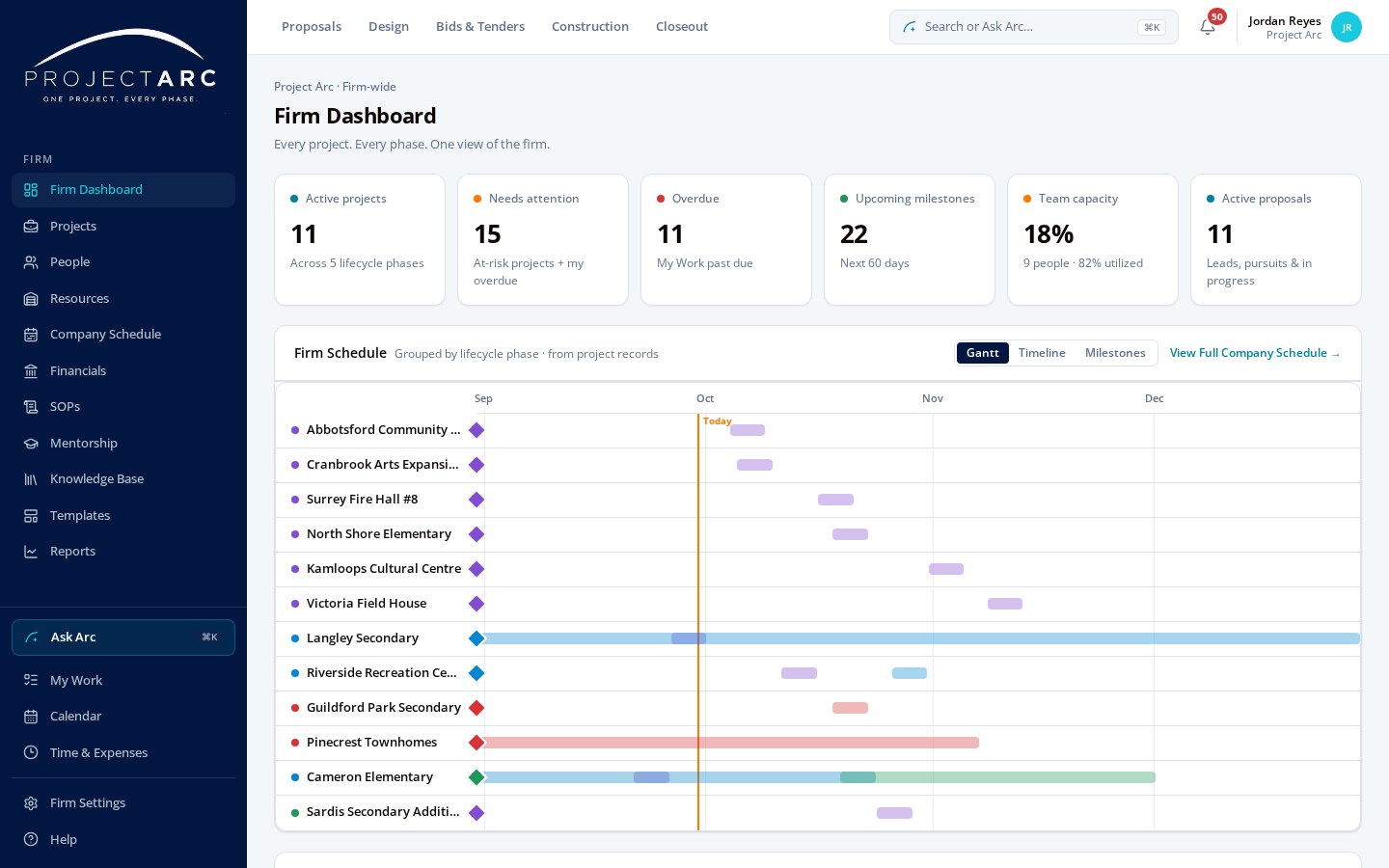
ONE VIEW OF THE FIRM.
See projects, milestones, workload, schedules and activity across the entire practice.
- Projects and phase status
- Firm milestones and schedule
- Workload and resourcing
- Recent activity
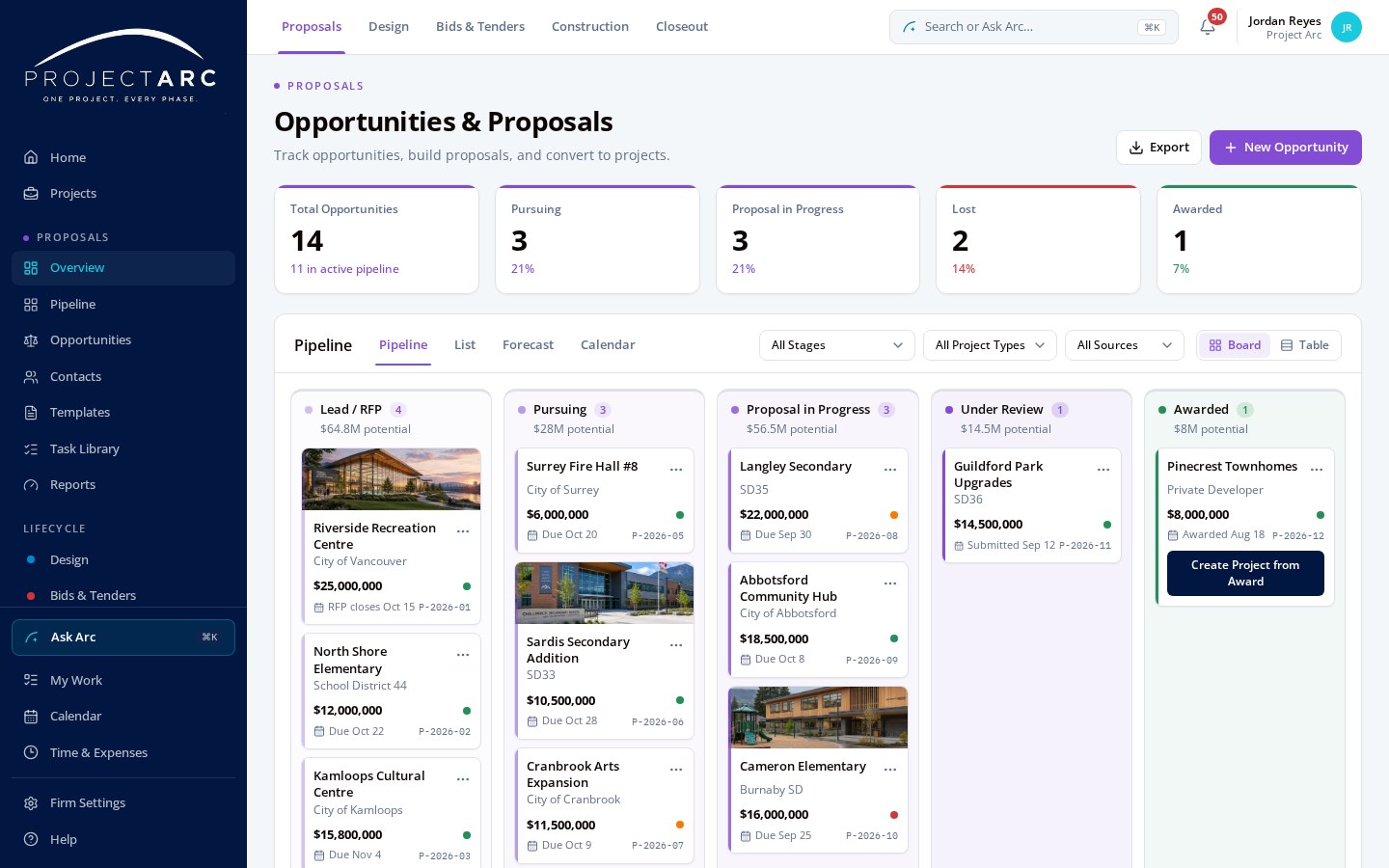
WIN THE WORK.
Track pursuits and opportunities, plan proposals, and keep contacts, companies and fees together — then create the project from a won pursuit so it carries into the connected record.
- Pipeline board
- Contacts and companies
- Fees and go/no-go
- Award to project
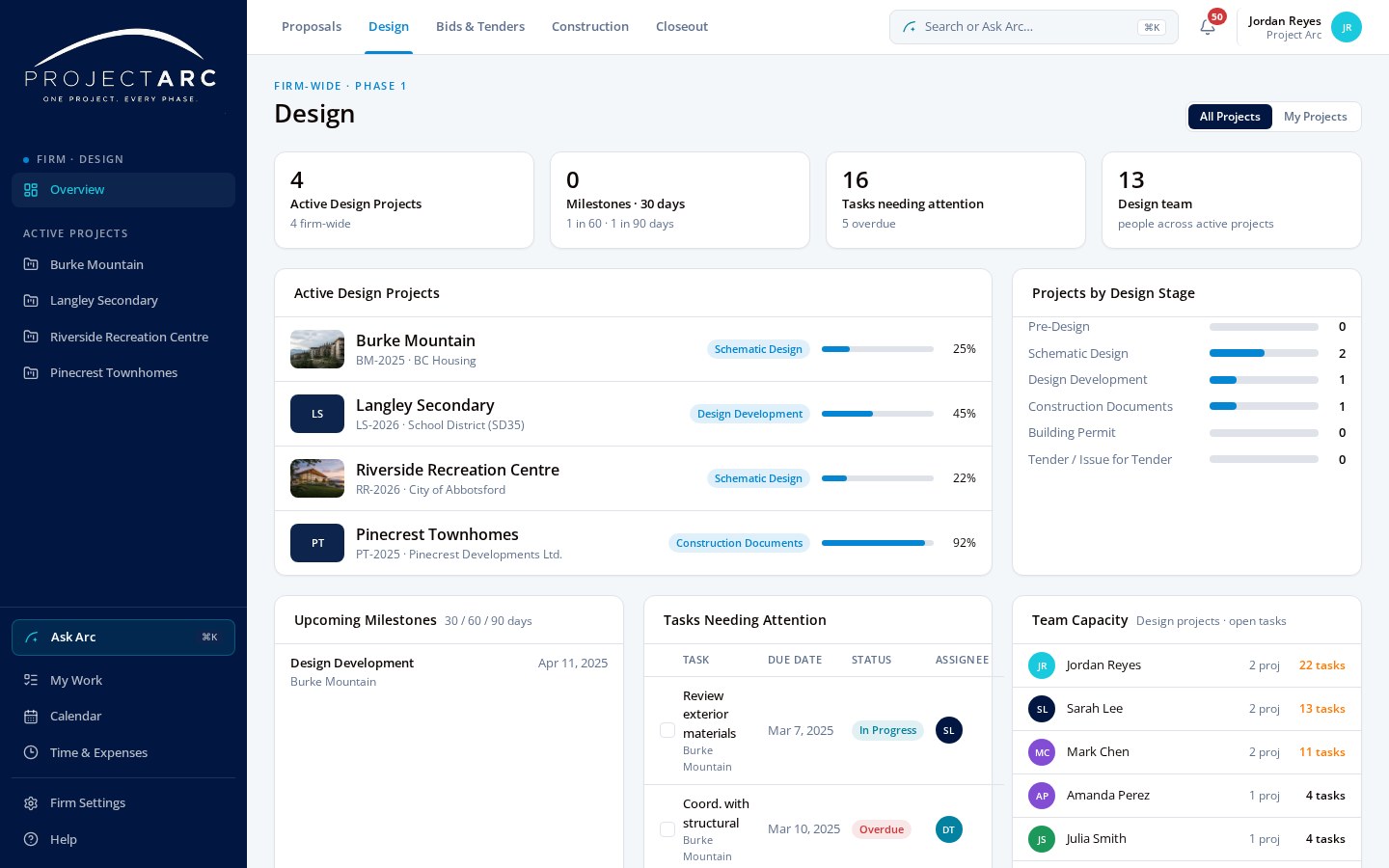
DESIGN THE PROJECT.
Coordinate drawings, specifications, consultants, meetings, reviews, milestones and tasks.
- Deliverables and milestones
- Consultant coordination
- Meetings and reviews
- Design tasks
TAKE THE SAME PROJECT TO TENDER.
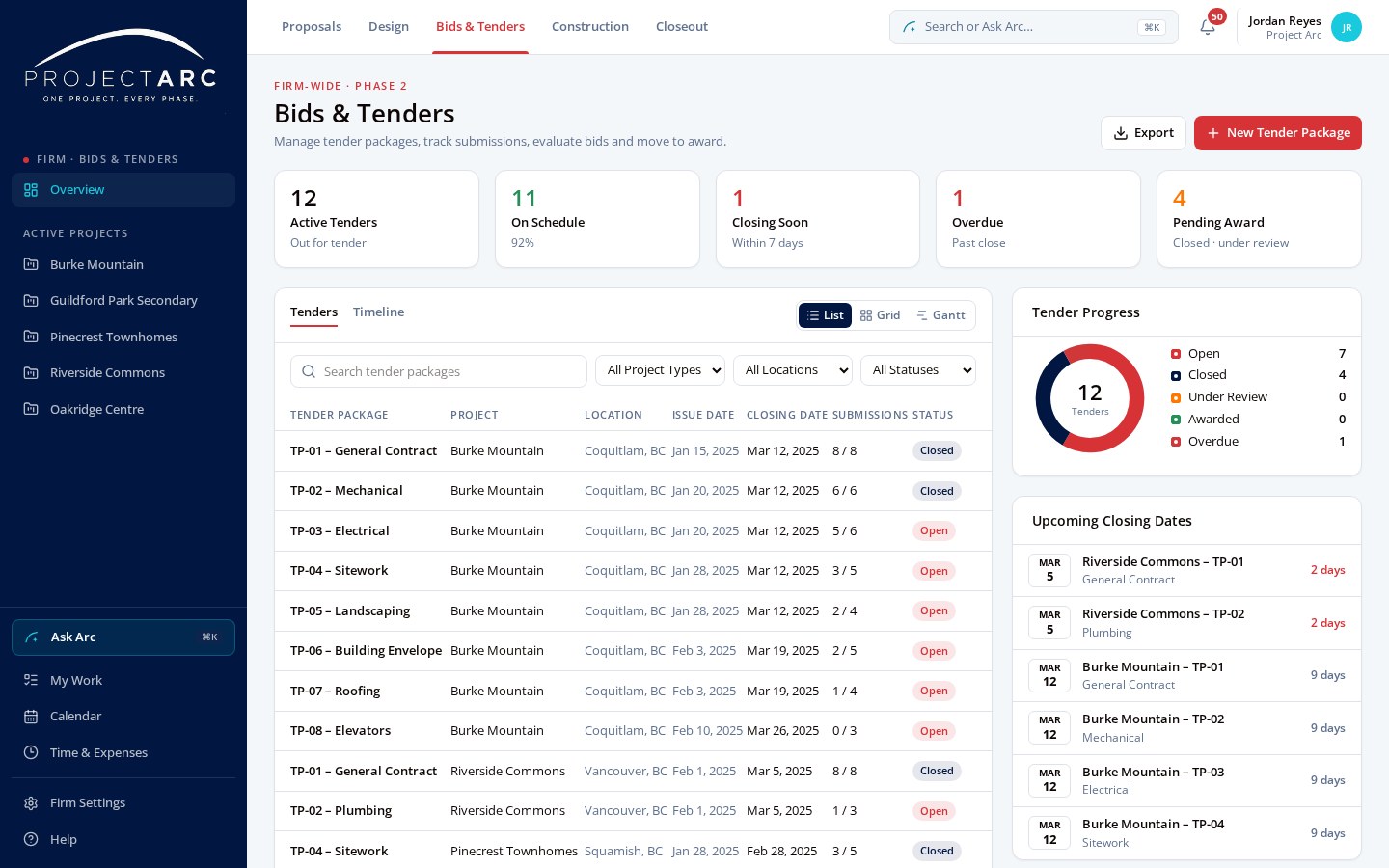
Manage tender packages, addenda, clarifications, bidders, submissions and evaluations.
- Tender packages
- Bidder information
- Submissions
- Evaluation and award
ADMINISTER THE CONTRACT.
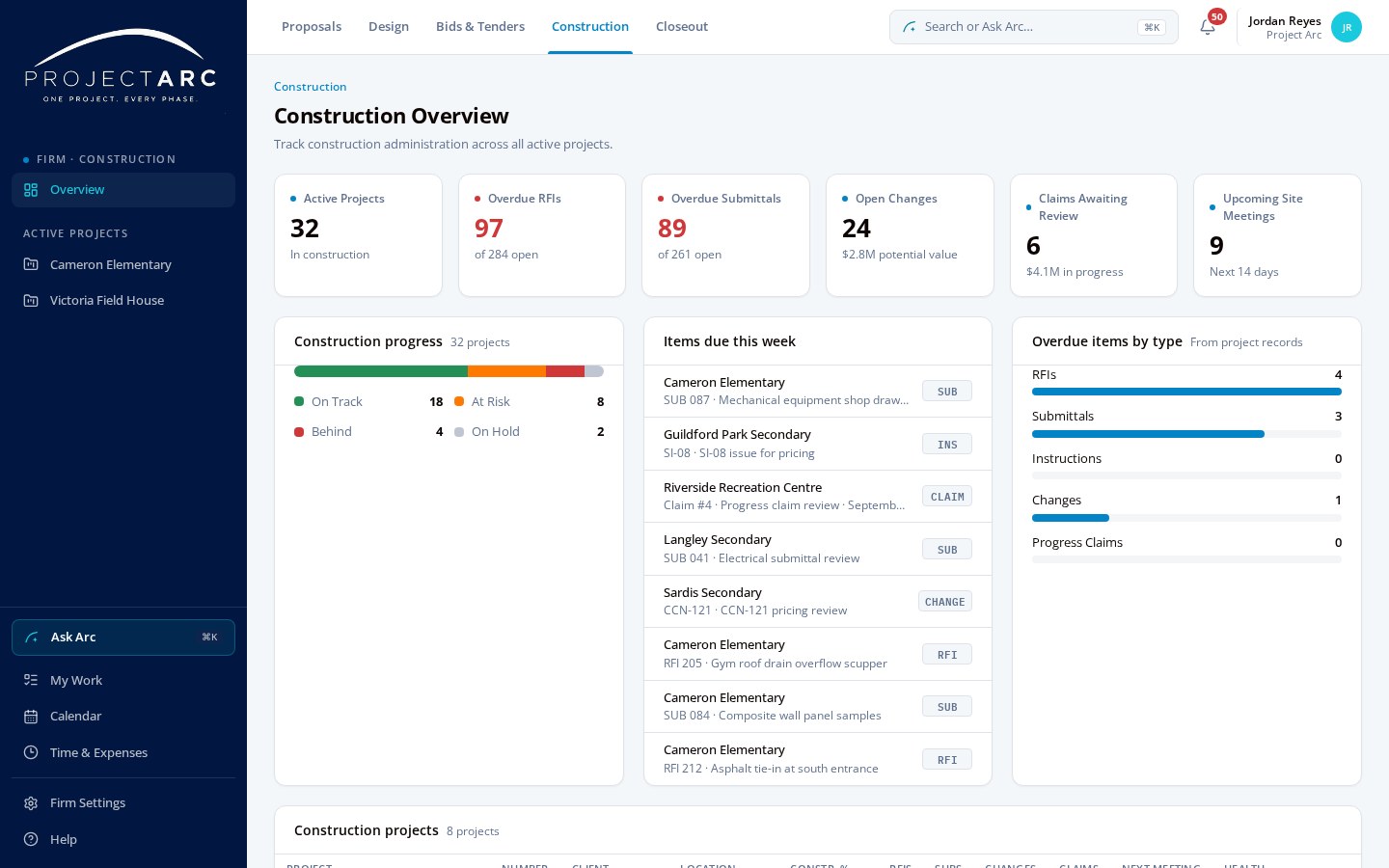
RFIs, submittals, instructions, changes, pricing, progress claims, field reports and meetings remain connected to the project.
- RFIs and submittals
- Instructions and changes
- Progress claims
- Field reports and meetings
FINISH WHAT YOU STARTED.
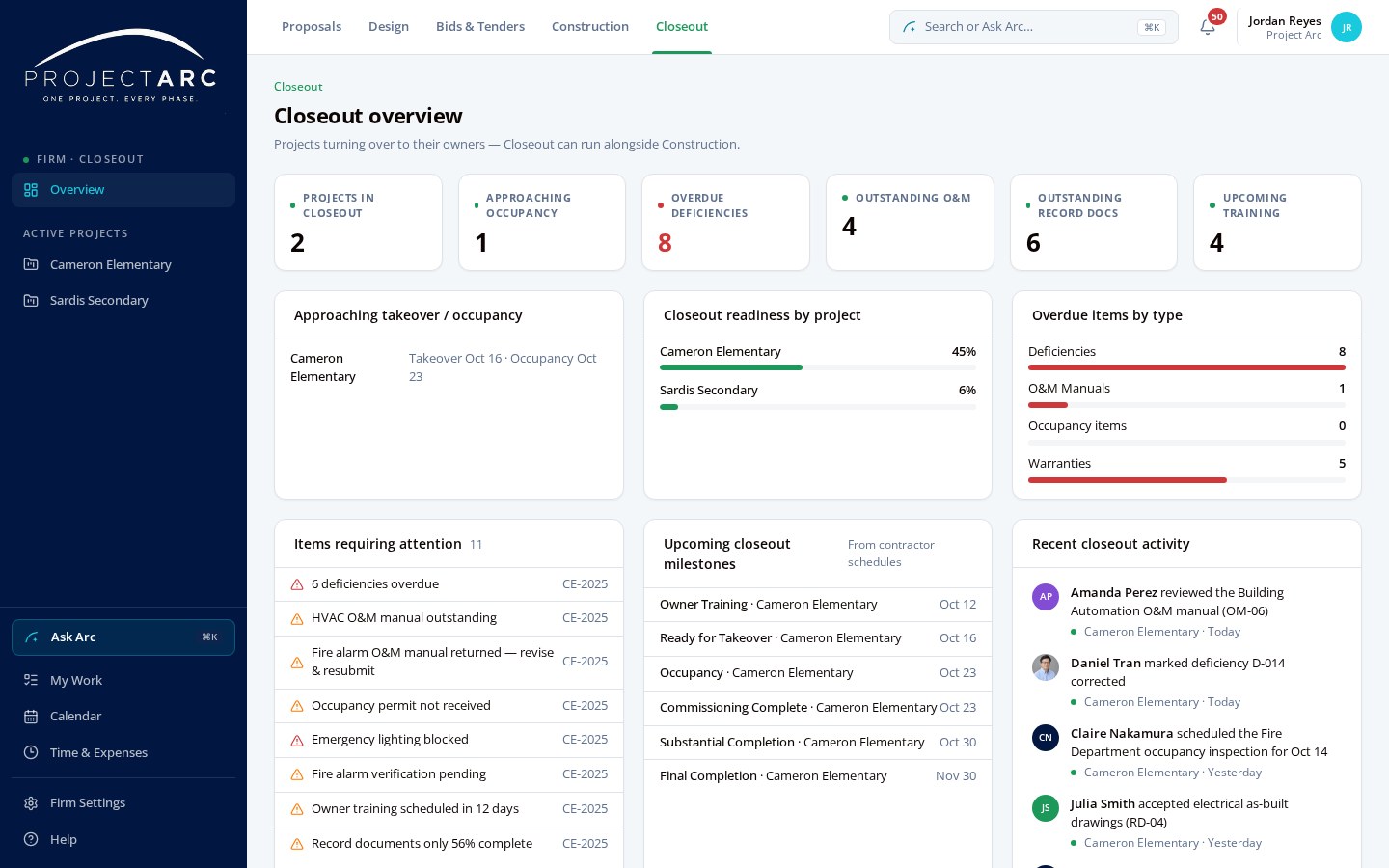
Deficiencies, occupancy, substantial completion, O&M manuals, warranties and record documents build on the project record that already exists.
- Deficiencies
- Occupancy and substantial completion
- O&M manuals and warranties
- Record documents
KNOW WHERE THE PROJECT STANDS.
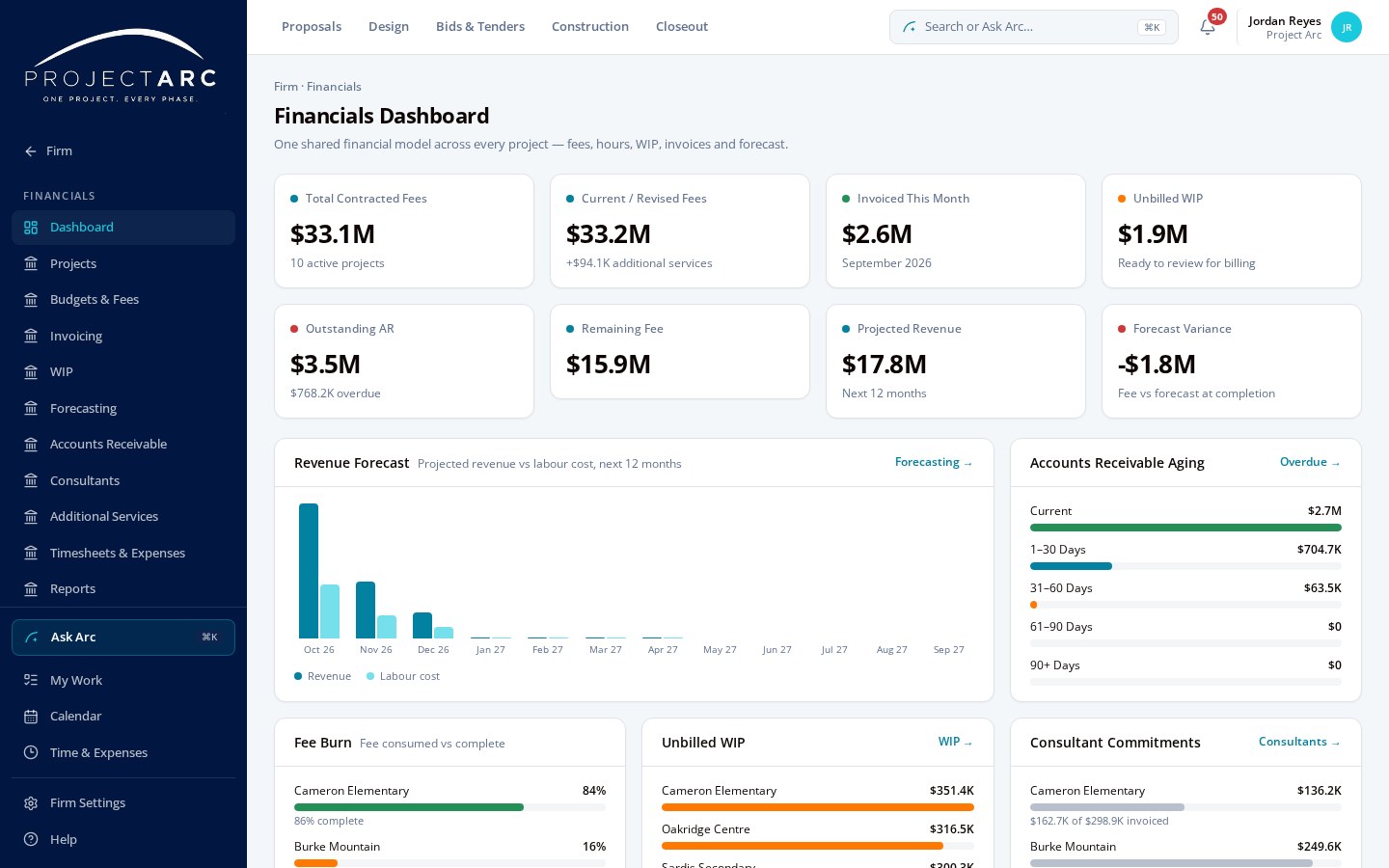
Fees, hours, WIP, invoices, consultant commitments and forecasting connect financial performance to the project.
- Fees and hours
- WIP and invoices
- Consultant commitments
- Forecasting
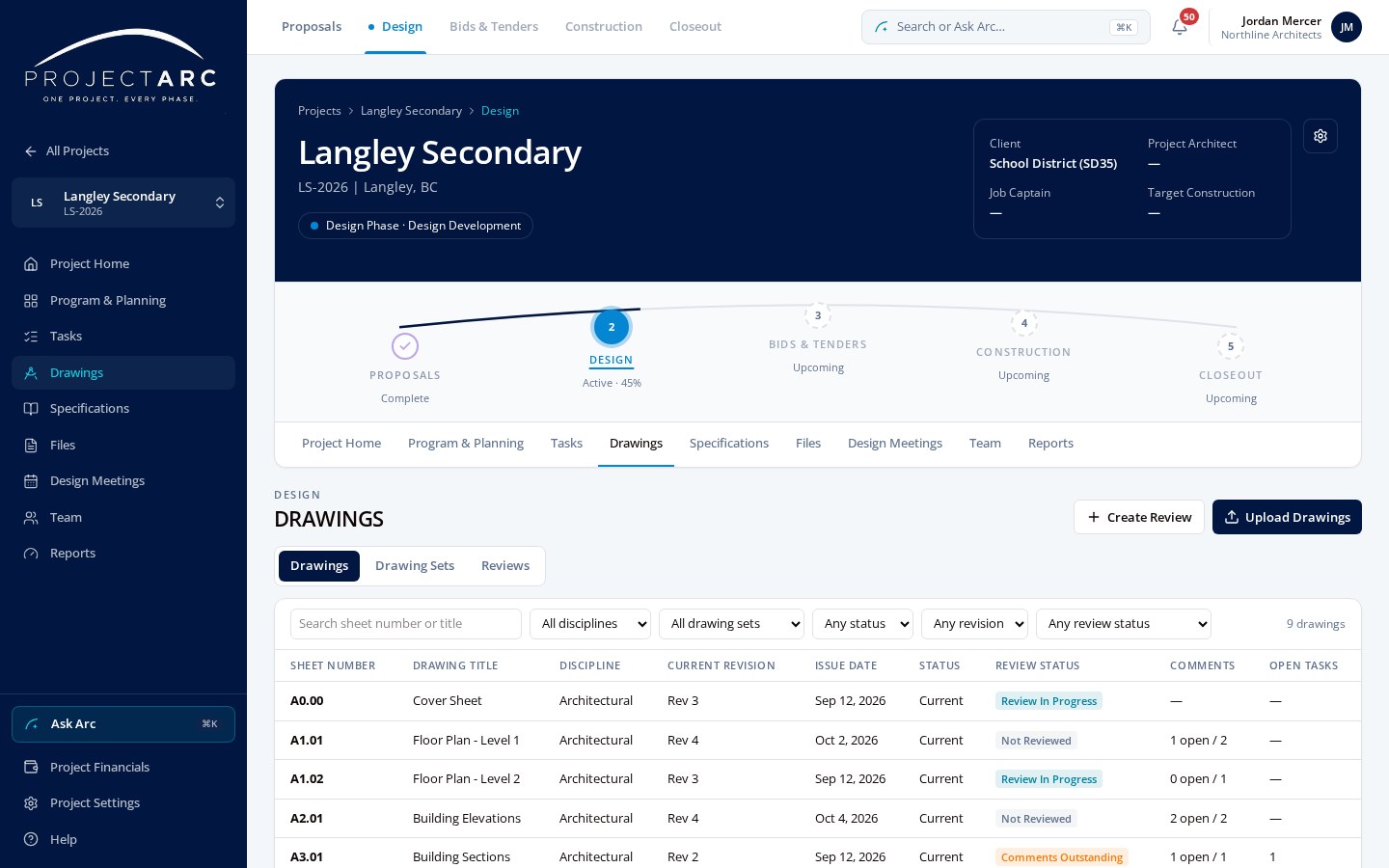
REVIEW THE WORK. KEEP THE CONTEXT.
Versioned drawings, PDF markups, comments, review sessions and tasks stay connected to the exact document location.
- Versioned drawing register
- PDF markups and comments
- Review sessions
- Tasks at the exact location
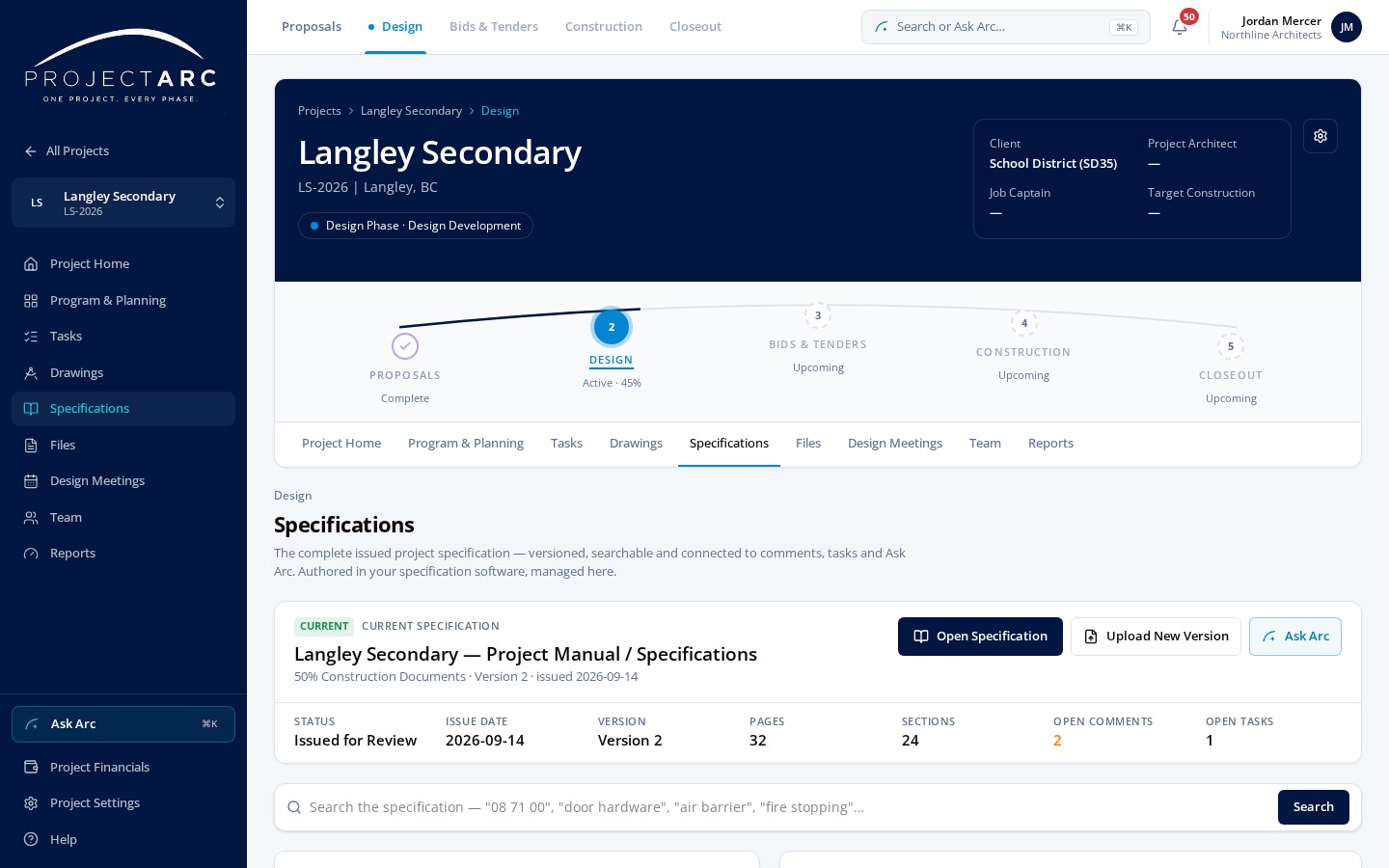
ASK THE PROJECT MANUAL.
Store and search the complete project specification with versions, sections, comments, tasks and Ask Arc.
- Project manual sections
- Version history
- Search and Ask Arc
- Comments and tasks
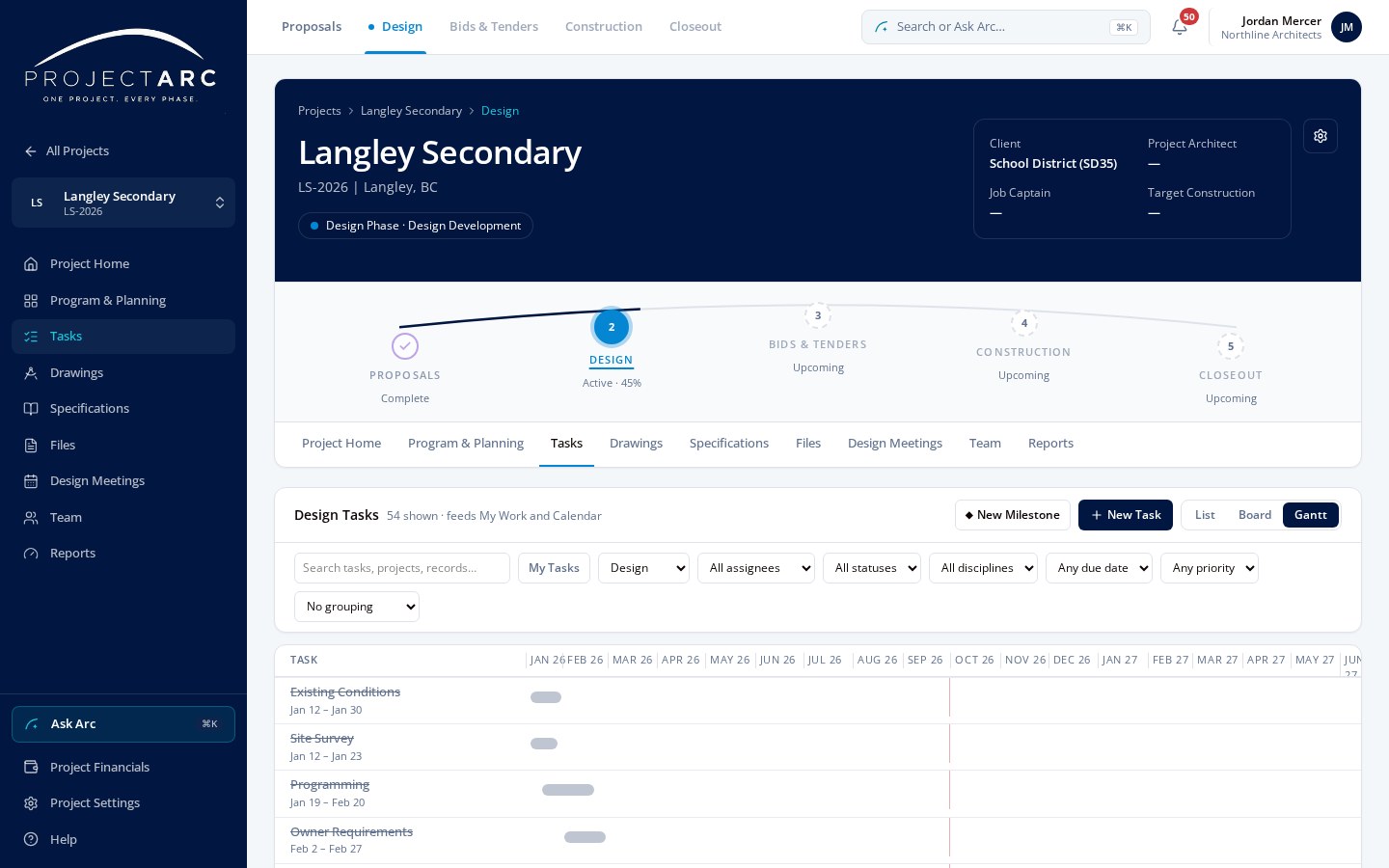
FROM COMMENT TO ACTION.
Tasks created throughout Arc appear in the same List, Board and Gantt system.
- List, Board and Gantt
- Dependencies and milestones
- Tasks from any record
- My Work across projects
ASK THE PROJECT.
Ask Arc works inside the project you're in. It searches authorized records and documents, and its answers point back to sources for human review.
- “What does the specification require for door hardware?”
- “Which RFIs are overdue?”
- “What changed since the last owner meeting?”
- “Show the open tasks from the 60% drawing review.”
- “What closeout requirements remain?”
YOUR COMPLETE PROJECT RECORD.
ORGANIZED.
Export a whole project, or just the parts you need, as one archive. It holds the project's records, documents, versions, comments, decisions and history in folders that follow the project lifecycle, readable without Arc.
- 00 Project Information
- 01 Proposal
- 02 Design
- 03 Tender
- 04 Construction
- RFIs
- Submittals
- Instructions
- Changes
- Progress Claims
- Field Reports
- 05 Closeout
See Project Arc
with your team in mind.
See what Project Arc could look like for your firm.