Project budgets & fees
Compare each phase's fee and budget, including additional services, with the work recorded against it.

Architecture and A&E firms can follow budgets, time, expenses, utilization, resourcing, WIP and profitability next to project delivery. Arc gives project accounting visibility and complements your accounting system — it is not accounting software.
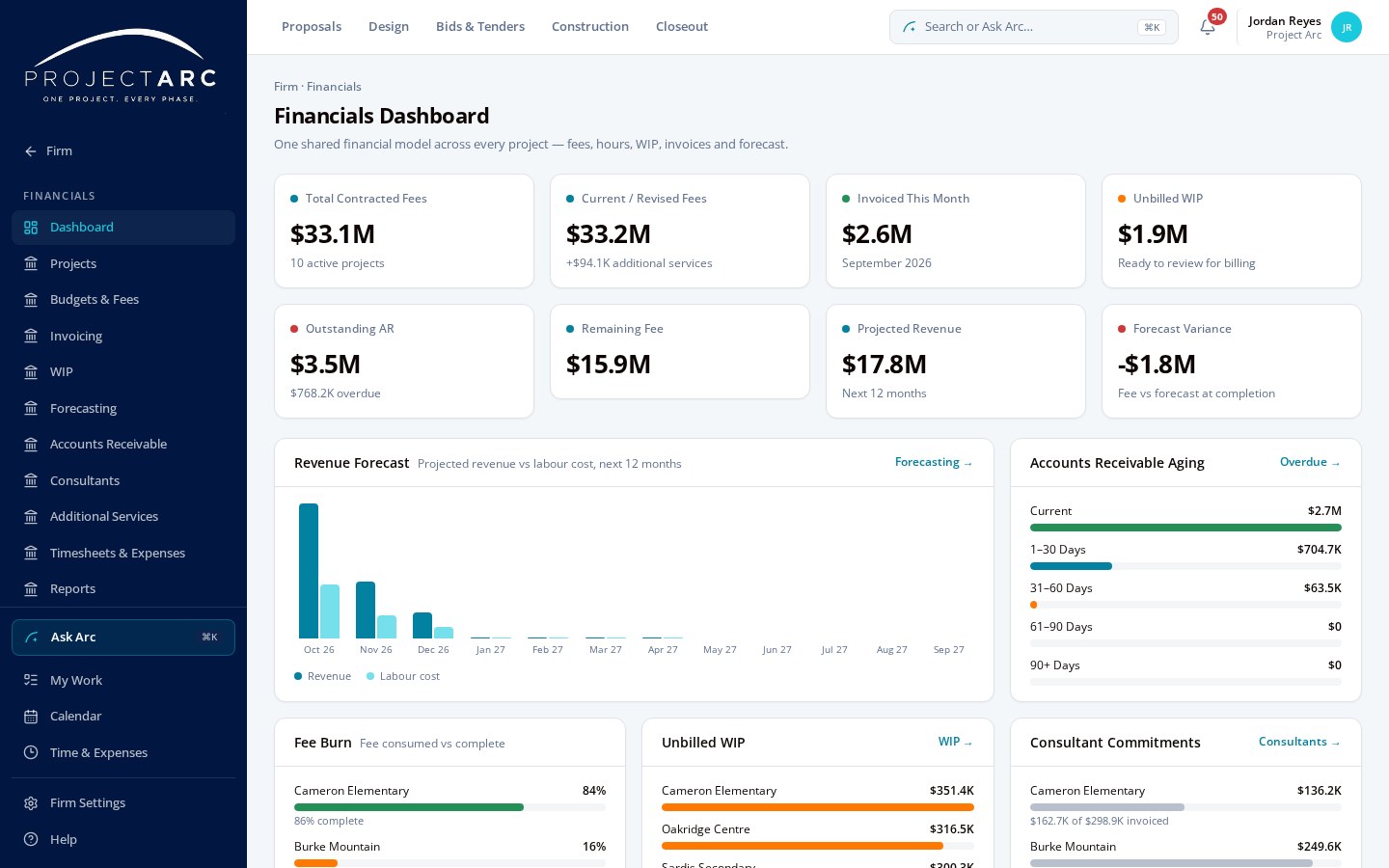
Arc isn't accounting software. It gives you operational and project financial intelligence, alongside the tools you already use. Additional services and consultant commitments are tracked with the project.
Compare each phase's fee and budget, including additional services, with the work recorded against it.
Staff record time against projects and phases on timesheets, following your firm's timesheet rules.
Record project expenses alongside time so the project's full effort is visible.
See planned, actual, remaining and forecast hours by phase, and spot phases running over plan.
Compare recorded time with firm and role utilization targets.
Plan staffing from project assignments and allocations, and see who has room in the weeks ahead.
Follow work in progress, invoiced and paid amounts and outstanding balances for each project.
Review project and firm financial direction, forecasting and profitability, with access limited to authorized roles.
Financial views are permission-based: billing rates, cost rates and profitability are visible only to roles your firm authorizes. Current application screenshot with sample project data.
Project delivery, time, resourcing and financial visibility usually live in separate places. In Arc they share the same projects, phases and people, so the numbers reflect the work.
Drawings, specifications, RFIs, submittals and closeout live with the project.
Timesheets, staffing and capacity connect to the same projects and phases.
Budgets, hours, WIP and profitability are built from the work recorded in Arc.
Leadership sees projects, people and financials together, without rebuilding spreadsheets.
Arc does not replace your accounting, payroll or payment systems.
See what Project Arc could look like for your firm.